PowerKPIs 4.0 Released:
AI-Powered Insights and Commenting.
PowerKPIs version 4 introduces powerful new AI and commenting capabilities, designed to make analysts faster and more effective.
With the integration of WriteBackExtreme, it is now possible to configure AI agents directly within PowerKPIs.
What is PowerKPIs?
PowerKPIs is a BI Extension that helps users create, manage, and understand KPIs more effectively.
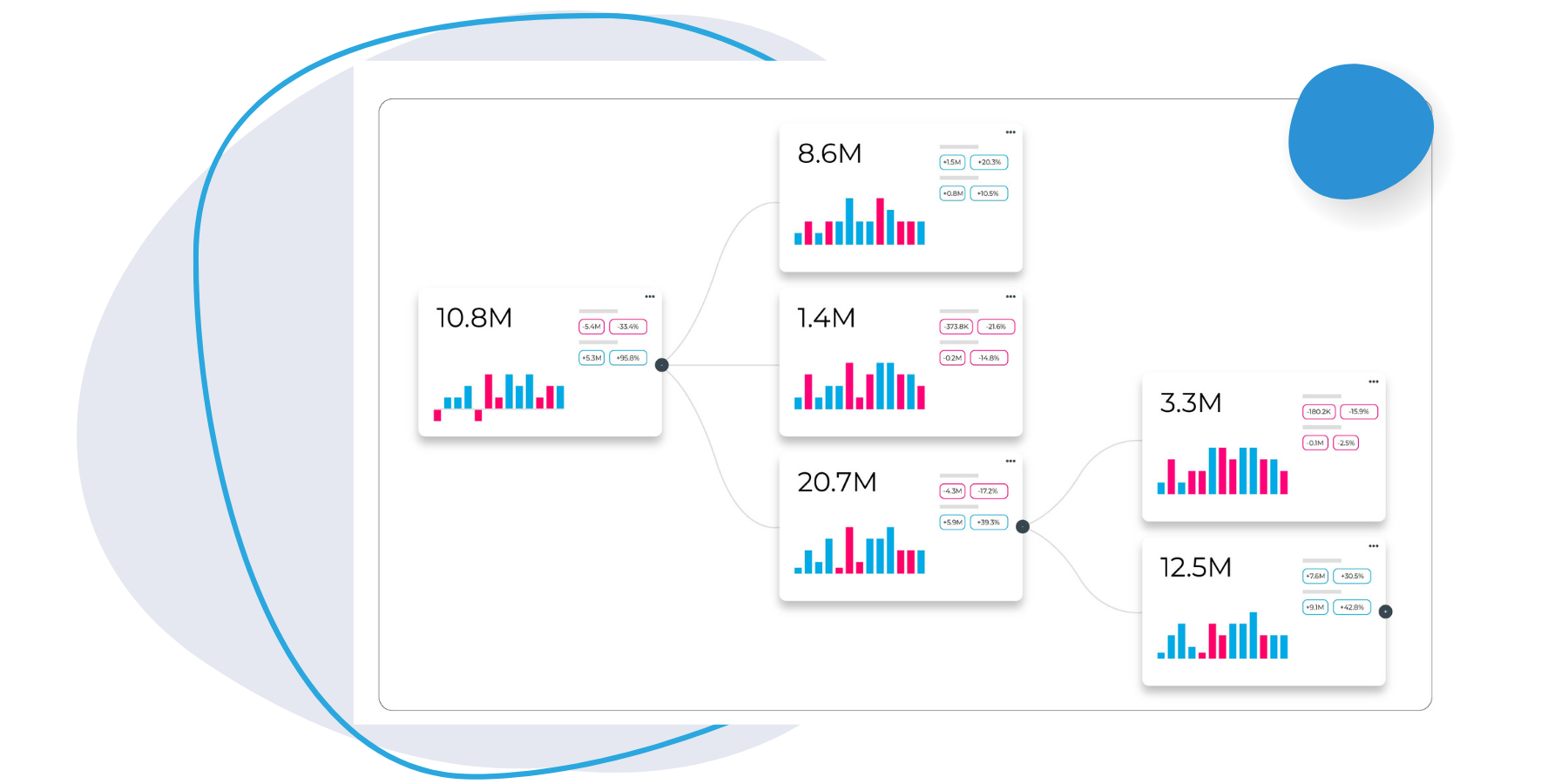
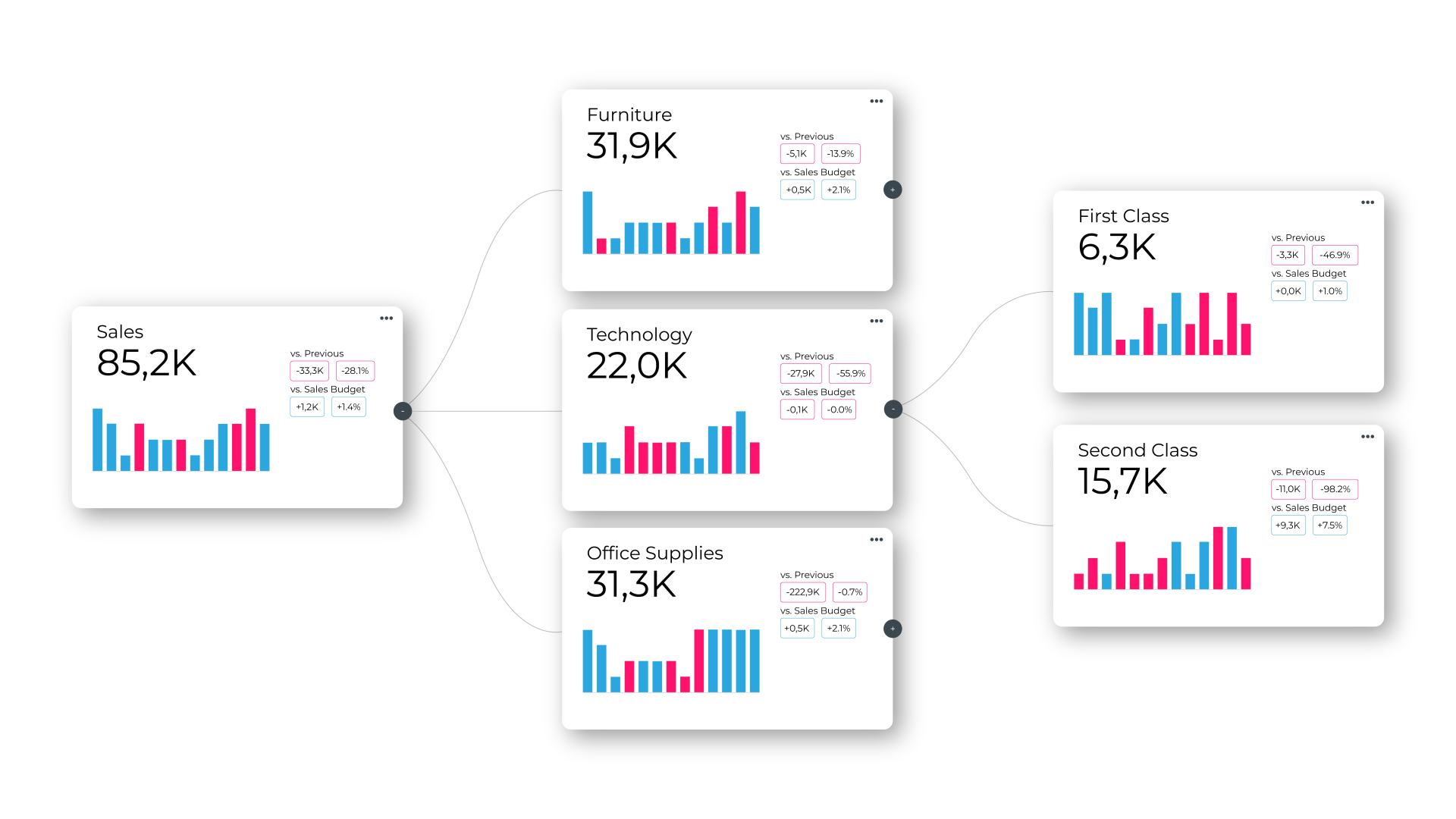
In most organizations, KPIs are interconnected, but Tableau does not natively visualize these relationships. PowerKPIs solves this with KPI driver trees, allowing users to clearly see how metrics influence one another.
In addition, users can quickly build high-performance KPI cards with minimal setup. Compared to traditional approaches, PowerKPIs reduces both development and maintenance time by up to 90%.
What’s New in Version 4.0?
Each KPI card now includes a menu (accessible via the three dots in the top-right corner of each card) that opens a detailed context view.
From here, users can:
Each summary includes a timestamp and can be regenerated at any time. To support collaboration, users can also add comments, reply to others, and mark discussions as resolved.
The Tree Health Check.
A major addition is the Tree Health Check.
Instead of manually reviewing each KPI, the AI agent analyzes the entire driver tree and highlights key insights across four sections:
All referenced KPIs are interactive, allowing users to click and instantly preview the relevant card.
KPI Grids and Cockpit Analysis.
Not all KPIs need to be connected. PowerKPIs also supports grid layouts for independent metrics, such as tracking performance across product categories. In this view, AI summaries can still be generated per KPI card.
New in 4.0 is Cockpit Analysis, which evaluates the entire grid and provides the same four structured insights:
Again, all references are interactive, making it easy to navigate between insights and underlying data.
How Are AI Agents Set Up?
AI functionality in PowerKPIs is enabled through WriteBackExtreme (version 6.3 and above).
Setup is straightforward:
Three agent types are readily available:
Within WriteBackExtreme, AI agents are managed under the Data and AI Services tab.
Users can:
For security, it is recommended to use a paid LLM with training disabled. Open/public LLMs are not advised due to data governance risks. Alternatively, WriteBackExtreme supports local LLM connections, ensuring all data remains within secure company environments.
In summary.
The PowerKPIs 4.0 update is a strong example of how AI can work alongside analysts to improve efficiency.
The ability to summarize KPI cards and analyze entire KPI driver trees or grids in seconds helps users quickly understand root causes and take action. This can save a significant amount of time and resources in day-to-day analysis.
With the integration of WriteBackExtreme, one of the most powerful premium BI solutions, all summaries, comments, and insights are stored in a governed, secure, and traceable environment. The addition of commenting also allows teams to stay in their workflow, enabling discussions directly where the data lives.
Overall, this update adds significant value to how users work with KPIs!